How do I read the DRO?
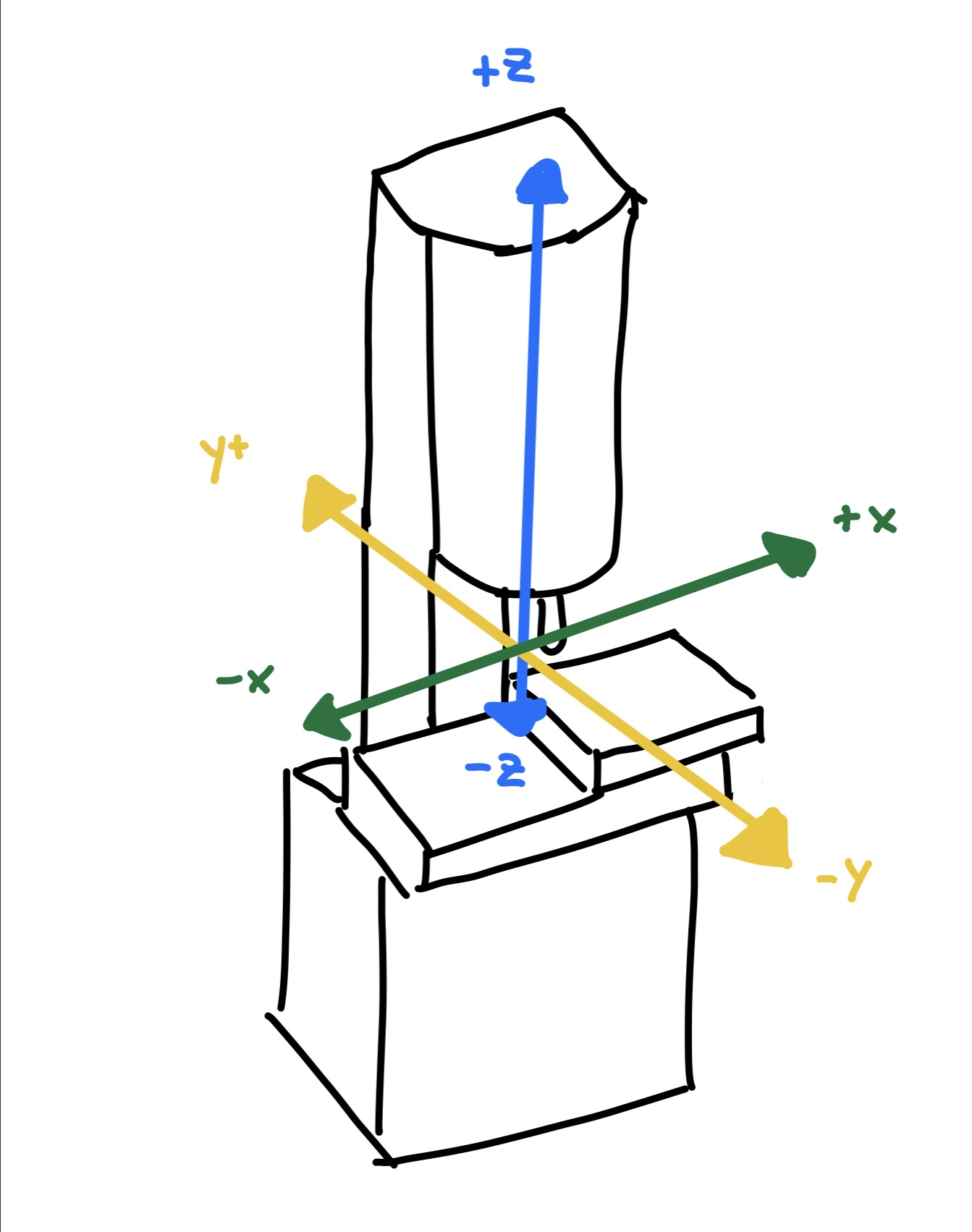
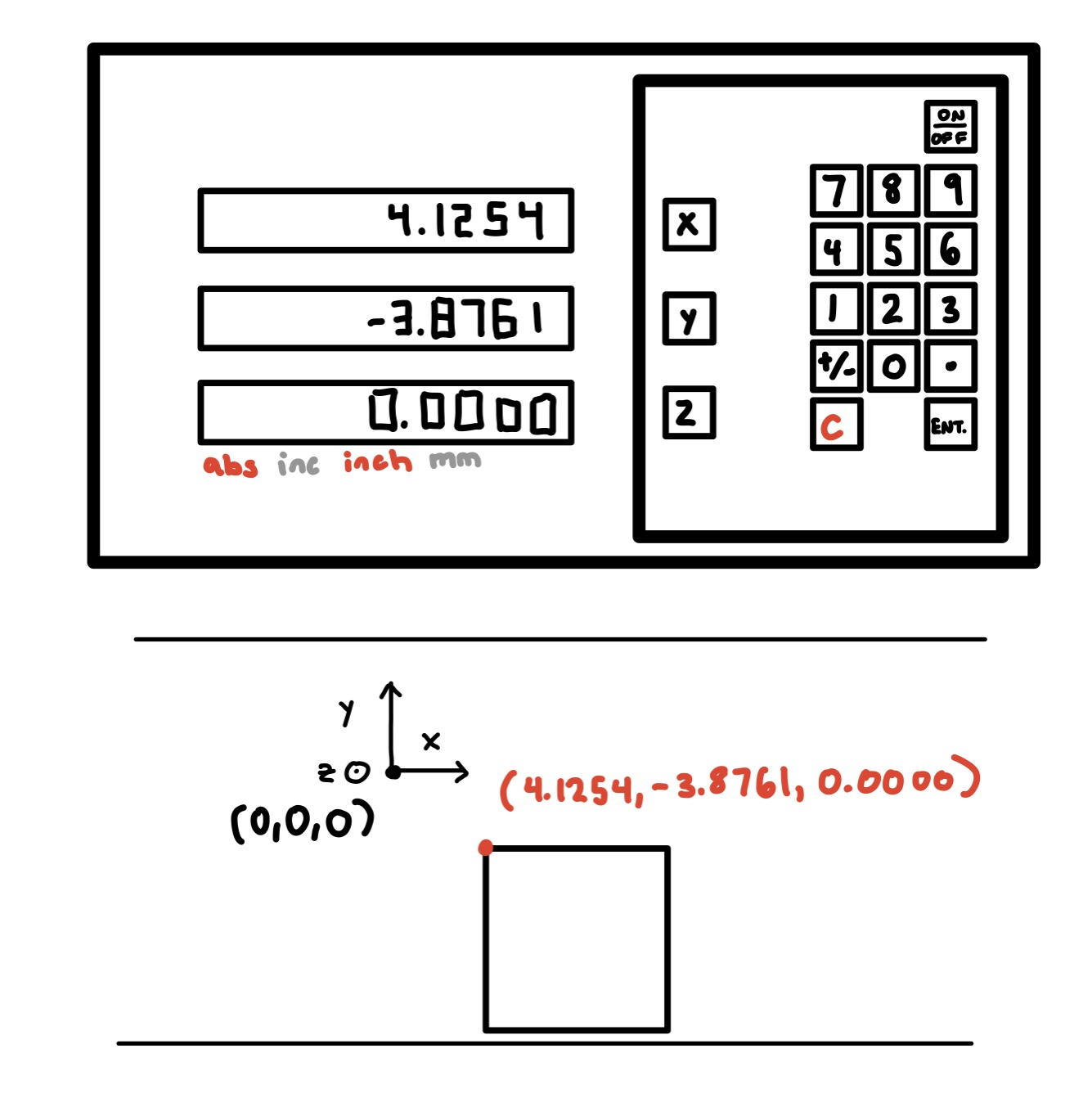
The Digital Readout (or DRO) shows the position in the X, Y, and Z directions. We can also directly read our position from the dials on the axis handles (but the DRO is easier and faster to read!).
X is side-to-side (left-to-right), Y is forward-and-back, and Z is up-and-down. The DRO shows how far the center of the spindle is from a chosen zero point (a reference or “datum”).
You can set this zero by moving the table so that the spindle is where you want it to be relative to your part, selecting each axis, typing in 0, and pressing enter or set, depending on the machine.