How do I use an edge finder?
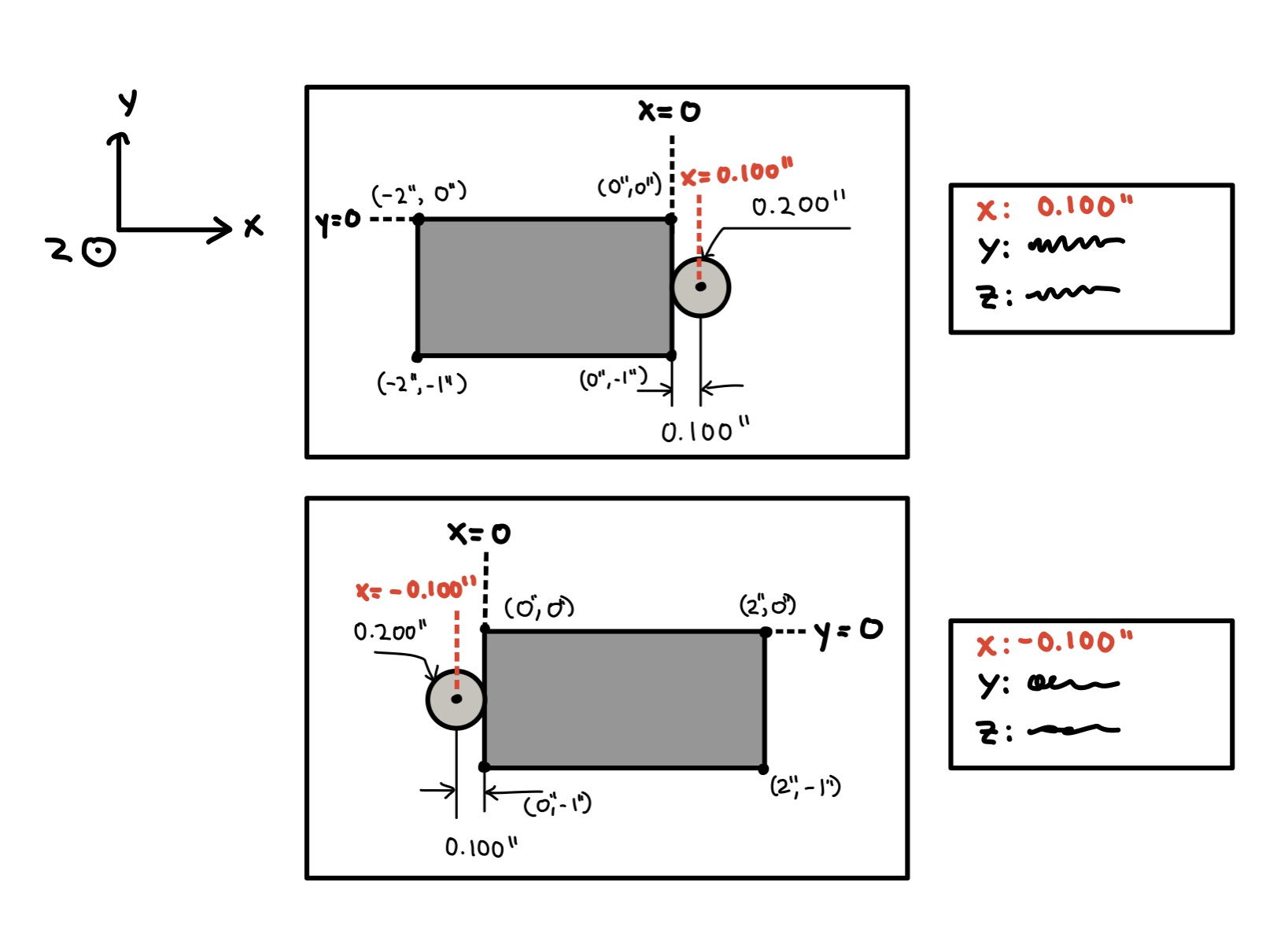
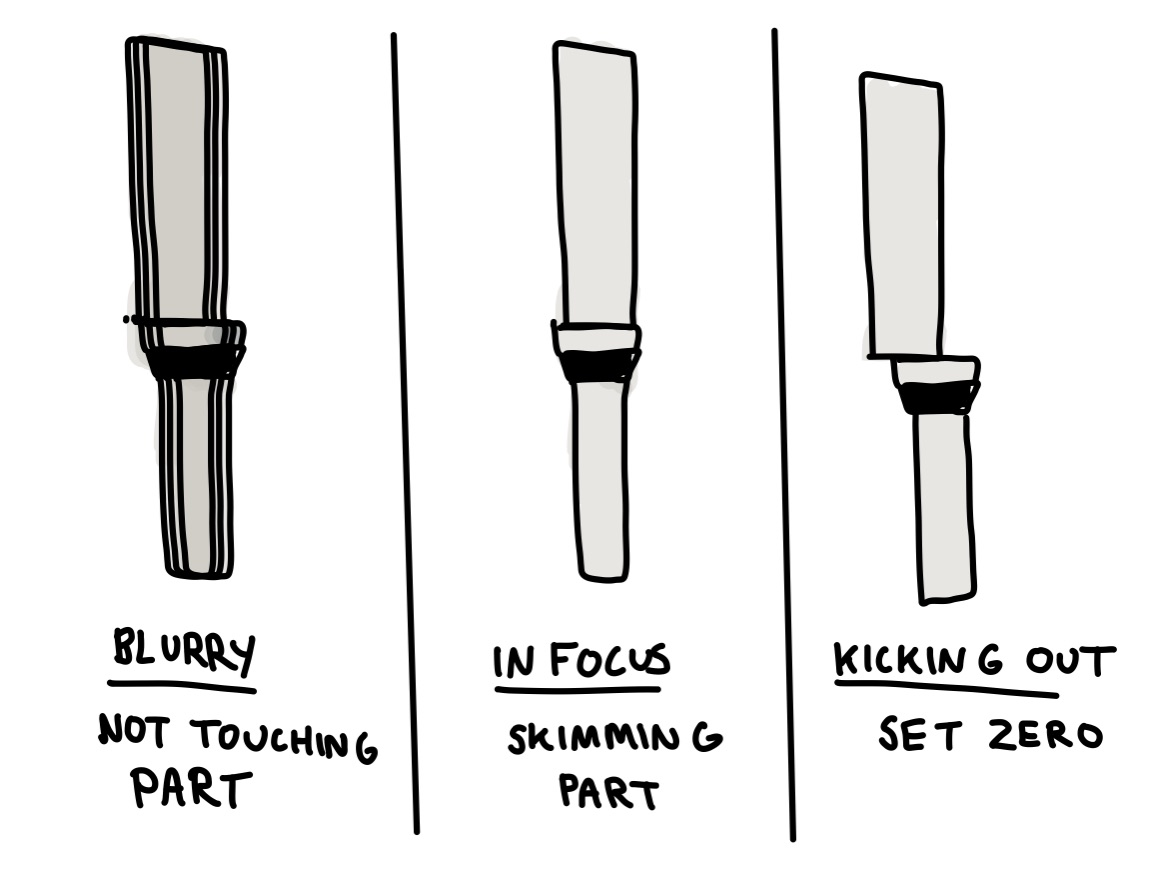
Position your piece and put the edge finder in the mill. Start moving the edge finder until you lightly brush the side of your piece. When the edge finder comes into contact with the part, the bottom part will pop out to the side. At that point, you can calibrate either the x or y axis on the display to ±0.100”, depending on whether the tool is on the positive or negative side of the part. Here’s a video of the process in action.